Posts

Sending Multiple attachment using MCF Send mail method

Below is the sample code to send multiple attachment in mail using MCF Send() mail method. Local any &FromURL = "record://PV_ATT_DB_SRV/" ; Local string &FILENAME; Local Rowset &rwln1 = CreateRowset(Record.PV_ATTACHMENTS); Local SQL &Sql1 = CreateSQL( "select attachsysfilename from PS_PV_ATTACHMENTS a,ps_SPF_RESUME_ATT b where a.scm_attach_id=b.scm_attach_id and b.person_id=:1" , "000000000000025" , &FILENAME); While &Sql1.Fetch(&FILENAME) &attach = create PT_MCF_MAIL:MCFBodyPart(); Local string &ToFile = "C:/user/" | &FILENAME; Local any &errorCode = GetAttachment(&FromURL, &FILENAME, &ToFile); If &i = 1 Then &multiattach = CreateArray(&attach); &multiattach [&i] = &attach; Else &multiattach [&i] = &attach; End-If; &multiattach [&i].SetAttachmentContent(&ToFile, %FilePath_Absolute, &FILENAME,...
Peoplesoft Navigation SQL

Below is the smart SQL to find out the Navigation for the given Component. (This Works only on Oracle DB) Enter the Component Name in the below SQL SELECT DISTINCT rtrim(reverse (sys_connect_by_path(reverse (portal_label), ' > ')), ' > ') path FROM SYSADM.PSPRSMDEFN WHERE portal_name = 'EMPLOYEE'   AND portal_prntobjname = 'PORTAL_ROOT_OBJECT' START WITH portal_uri_seg2 = ‘<COMPONENT Name>’ CONNECT BY   PRIOR portal_prntobjname = portal_objname

PeopleSoft 9.2 May Be the Last Upgrade You Will Ever Need

Did you hear the BIG news in the world of PeopleSoft?  During a May 2014 PeopleSoft Talk, Marc Weintraub, PeopleSoft Senior Director, interviewed Paco Aubrejuan, Sr VP PeopleSoft Development, who highlighted two main aspects of PeopleSoft’s newest Delivery Model.  Before version 9.2, PeopleSoft delivered a new release; offering tax updates, minor product enhancements and fixing bugs using software bundles delivered every 10 - 12 weeks or so. During the same time, PeopleSoft developers were working on a NEW release and thus working on two code lines (actually 3 since they were supporting multiple previous versions and developing on the next version). It took years to get the major product enhancements to market and often years more for the average customer to perform an expensive application upgrade. Most PeopleSoft customers admit that they are not on the current version of the product. The PeopleSoft Update Manager (PUM) offered with release 9.2 allows the ability to deliver...

Install Peoplesoft on your Laptop

Most of the Peoplesoft developers love to install PS on their own Machine (Desktop/Laptop). Till some time back it is very difficult (becoz of Huge Space and other reasons) Recently, Oracle has come up with Virtual Machine which makes the life very simpler. You just need to import the virtual machine in the Virtual Box. This is certainly very fast way to get PeopleSoft working on your machine but if you run into some issues, this is difficult to debug. For a single application as HCM you need a minimum of 4 GB of ram of which you can assign 2.5 to 3 GB to the virtual machine. The ideal RAM allotted to virtual machine should be 6 GB . In order to run the virtual machine, you need to have  VirtualBox  running. If you do not have it installed yet, download and install it. The PUM home page consists links of all the applications: HCM, ELM, FSCM and CRM. You may click on the application you want to install. Below is the PUM Home page https://support....

Some Basic Pointers for ExcelToCI

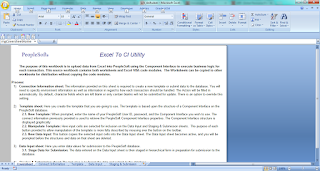
Some Basic Pointers for ExcelToCI: Not all CIs are suitable for ExcelToCI. The SOAPTOCI Peoplecode sets the CI properties in the same order in which they appear in Application Designer.  This will be a problem in cases where properties need to be set out of sequence in order for Peoplecode validations to work correctly. Avoid using large complex CIs.  However, if you elect to use them, send them in smaller chunks to avoid running into problems such as timeouts, and to improve the application server throughput. Ensure that you use a copy of the ExcelToCI workbook found in <PS_HOME>\excel for the PeopleTools release you’re on.  Also, make sure you don’t open multiple Excel workbooks at the same time, either multiple ExcelToCI workbooks or a combination of ExcelToCI workbooks and other Excel workbooks to avoid seeing strange behavior.  Note the following about the Excel spreadshe...

Can PeopleSoft decrypt data, which is encrypted at MSS 2005 db level??

The encryption and decryption takes place at the database level, and we do not need to write any special code or sql in our application to encrypt or decrypt the data when we do a INSERT, UPDATE or SELECT on that data.  The only thing that must happen is that when a table is created, it must use the ENCRYPT keyword in the table DDL for the column that is to be encrypted (PS: when app designer or maintenance/upgrades generates alter or create scripts, that these scripts will have to be manually edited to add the support for SQL Server encryption.). Once we do that, we do not have to worry about how to retrieve or place the encrypted data in the database - the encryption and decryption procedure is done by the database.  The PeopleSoft application does not need to know that a field is encrypted and nor does the application need to know how to retrieve the data and decrypt it.

Enabling both the Developer tab and VB macros when using Excel 2007

Image
Below are instructions on enabling both the Developer tab and VB macros when using Excel 2007.  Additionally, attached is a Word document with screenshots showing the same basic steps, providing the reader with a better visual representation of what the steps look like. A. Enabling the Developer Menu in Microsoft Excel 2007 - The Developer menu in Microsoft Excel contains options to work with Microsoft Visual Basic, macros, sheet properties, and so on. In Microsoft Excel 2007 the Developer menu is not automatically enabled and does not appear on the menu ribbon in the default view of the Excel workspace. In prior versions of Microsoft Excel supported for use with the ExcelToCI utility, and the Developer menu appears by default. To use the Excel to Component Interface utility you need access to some of the features accessed through the Developer menu, and therefore you must enable the menu. Once enabled, the Developer menu appears on the far right on the menu ribbon. To ena...